Every enquiry lands in one inbox.
Thumbtack, Angi, your website form, a text to your business line and plain email all arrive in the same place — already tagged with where they came from, already a lead. You reply from SiteView; the homeowner sees it come from you.
7 days free. From $159 a month after — every tool on every plan. Cancel any time.
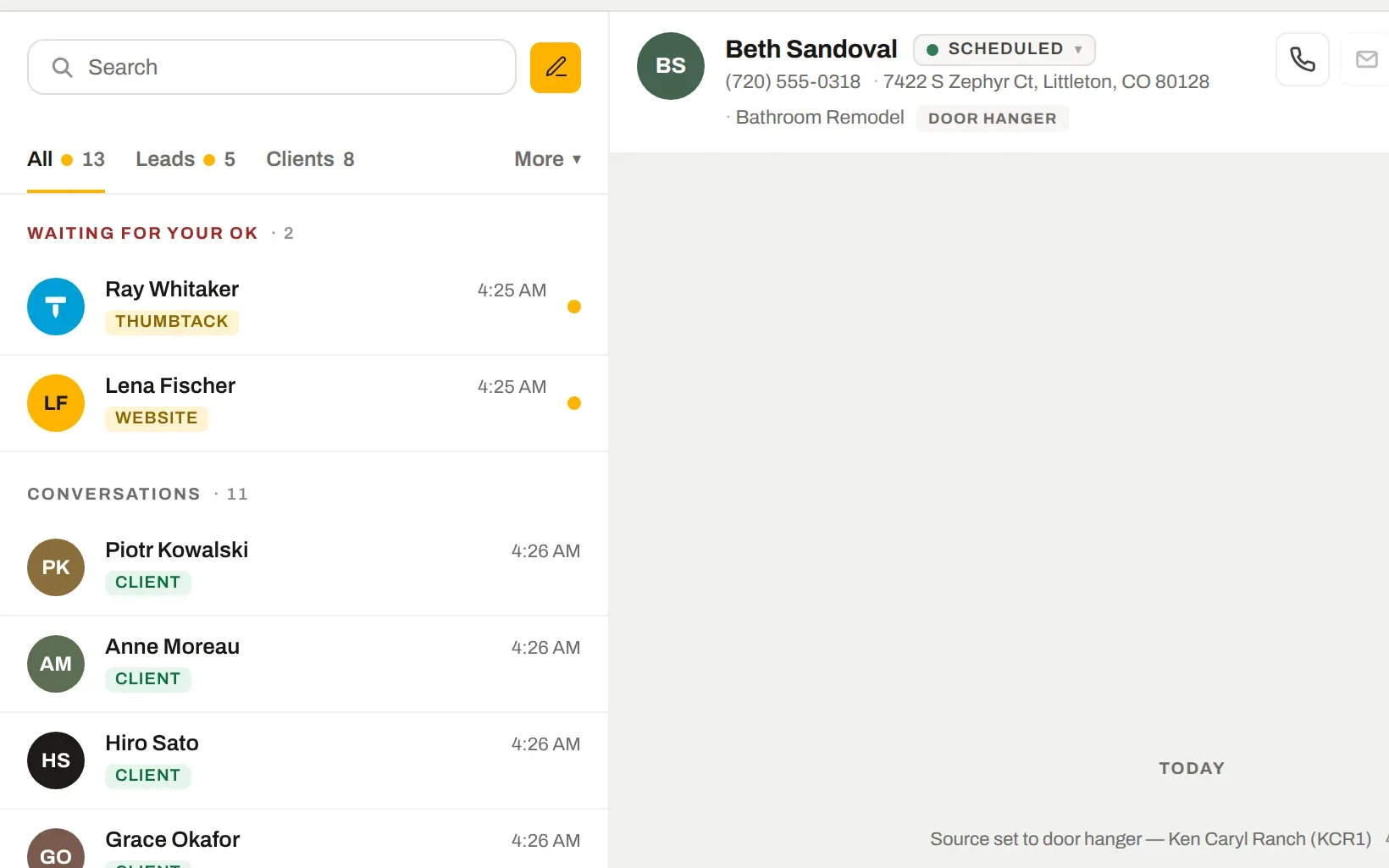
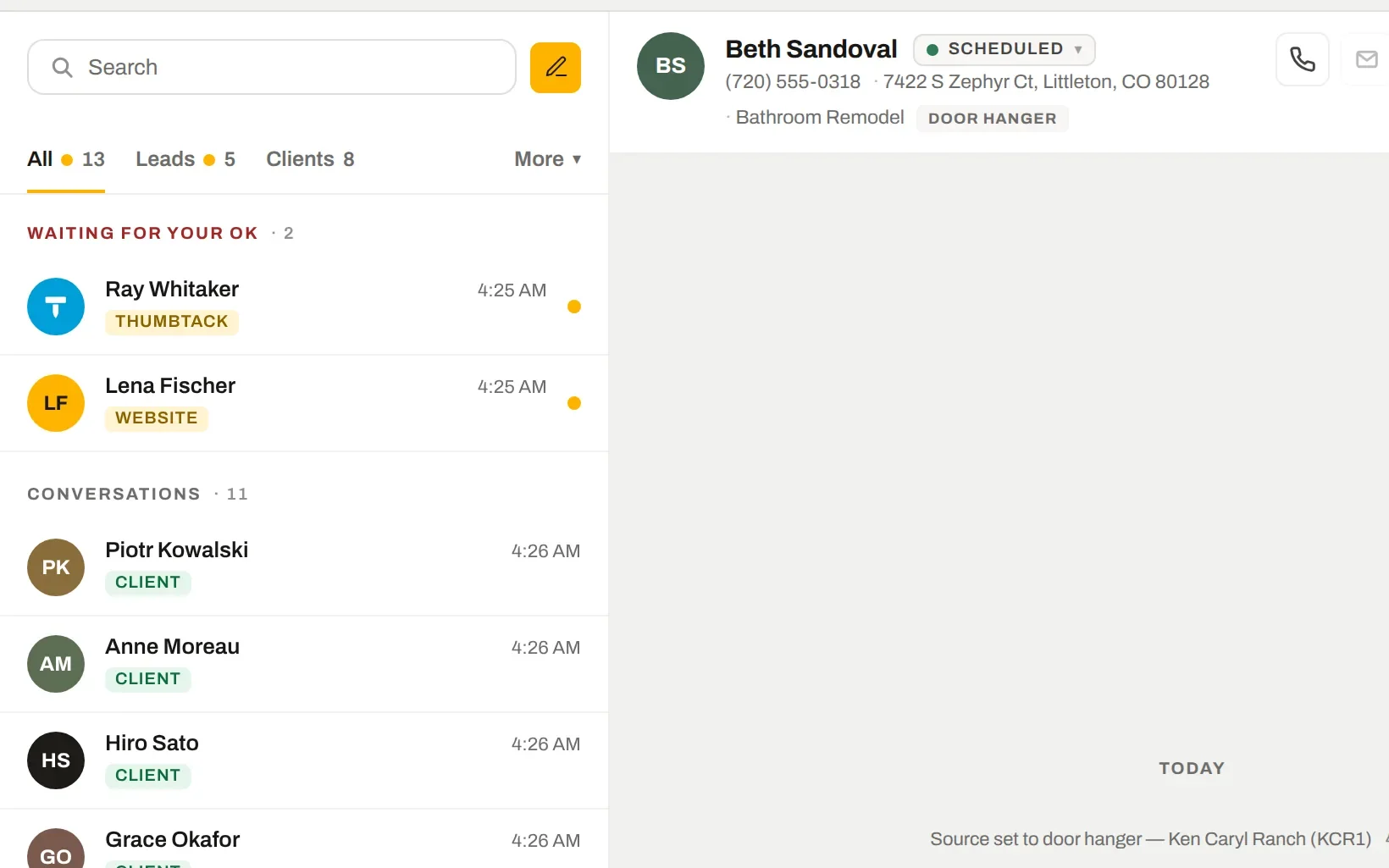
Thumbtack, Angi and the website, in one list.
Connect Thumbtack directly, point Angi and your website form at your private lead address, and every enquiry drops into Messages with its source on it. A Thumbtack reply goes back into the Thumbtack conversation; a text goes out from your own business number.
- One notification per enquiry — not one per message the platform decides to send
- Repeat deliveries from the same person fold into the same thread
- Unknown senders wait in "Waiting for your OK" so junk never becomes a lead
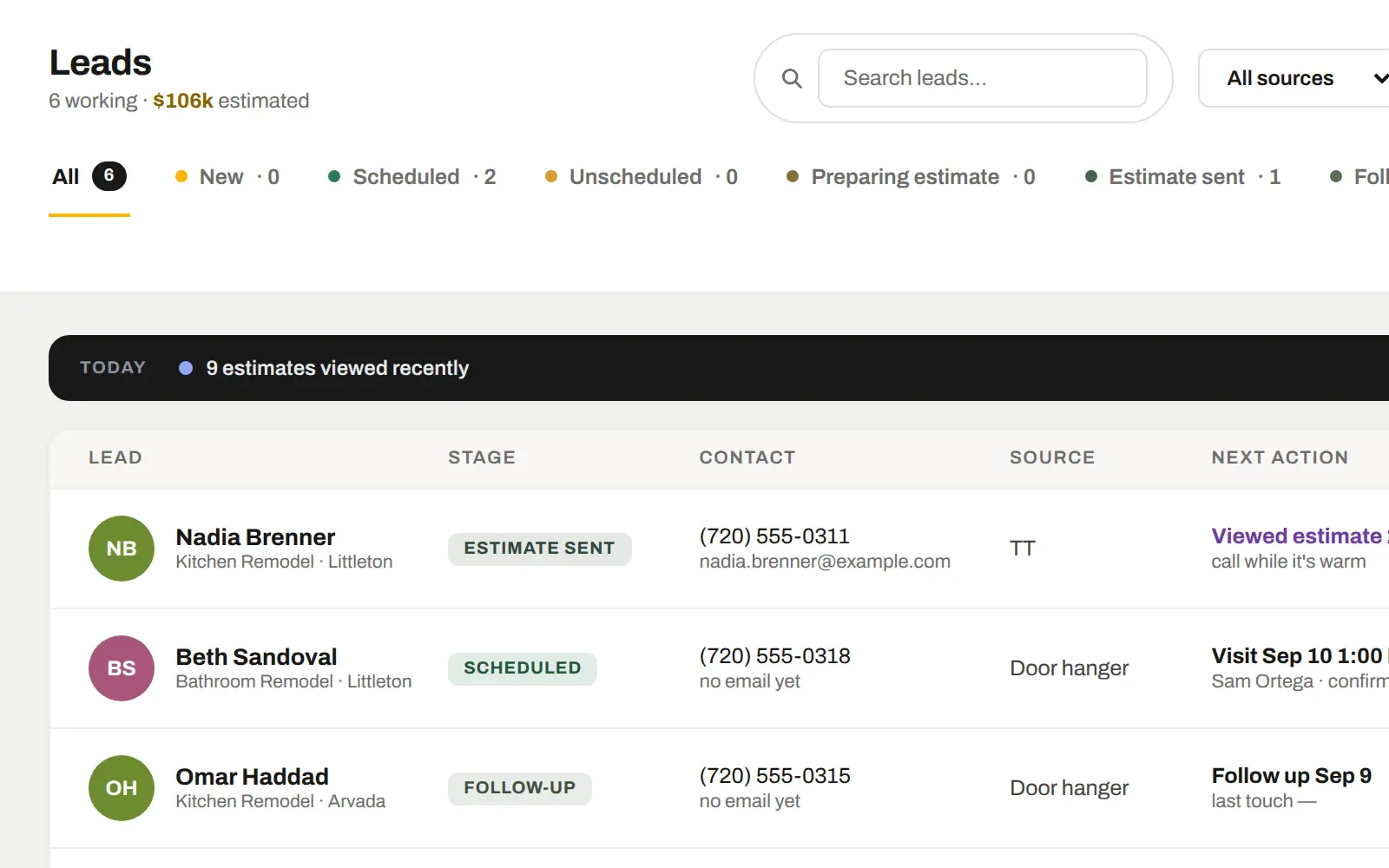
A working list, not a spreadsheet of names.
Leads sit in stages you control — New, Scheduled, Estimate sent, Follow-up — and each row tells you the next thing to do: call now, book the visit, send the estimate, call them back. Untouched leads go red, because Thumbtack ranks you on response speed.
- Next action per lead, sorted by what is most urgent
- "Viewed estimate 2× today — call while it's warm"
- Closed stages (PNS, canceled, cold) stay one click away, never in the way
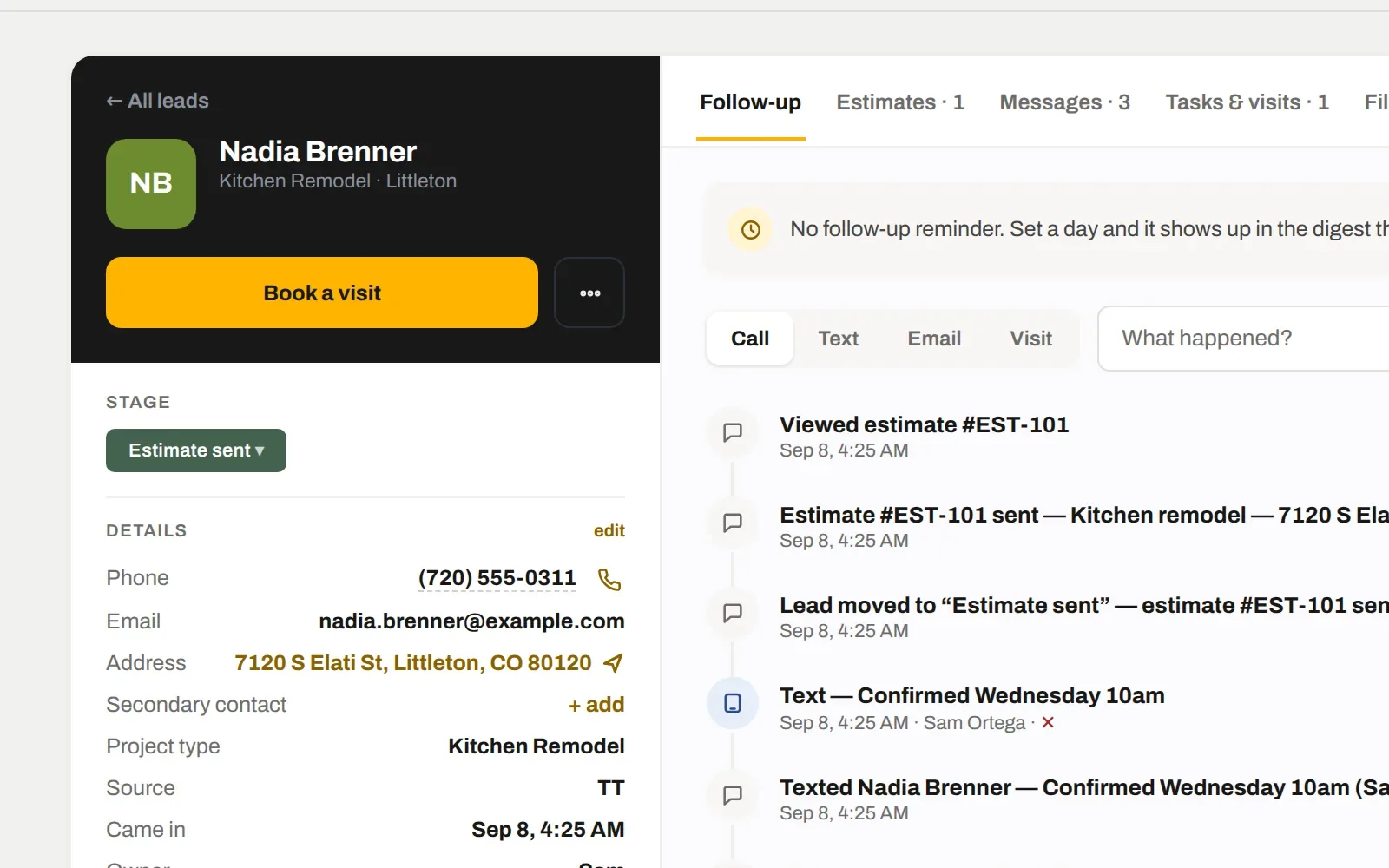
Reminders you set — not nags the software invents.
Pick a day on a lead and it shows up in your morning digest that day and as a 9 AM task on the Schedule for whoever owns it. Log the call, pick the next day or let it rest. Nothing reminds you about a lead you never asked to be reminded about.
- Every call, text, email and visit logged on a timeline
- Estimate opens, signatures and payments land on the same timeline automatically
- The Follow-up stage means a reminder is set — it can't be used as a parking spot
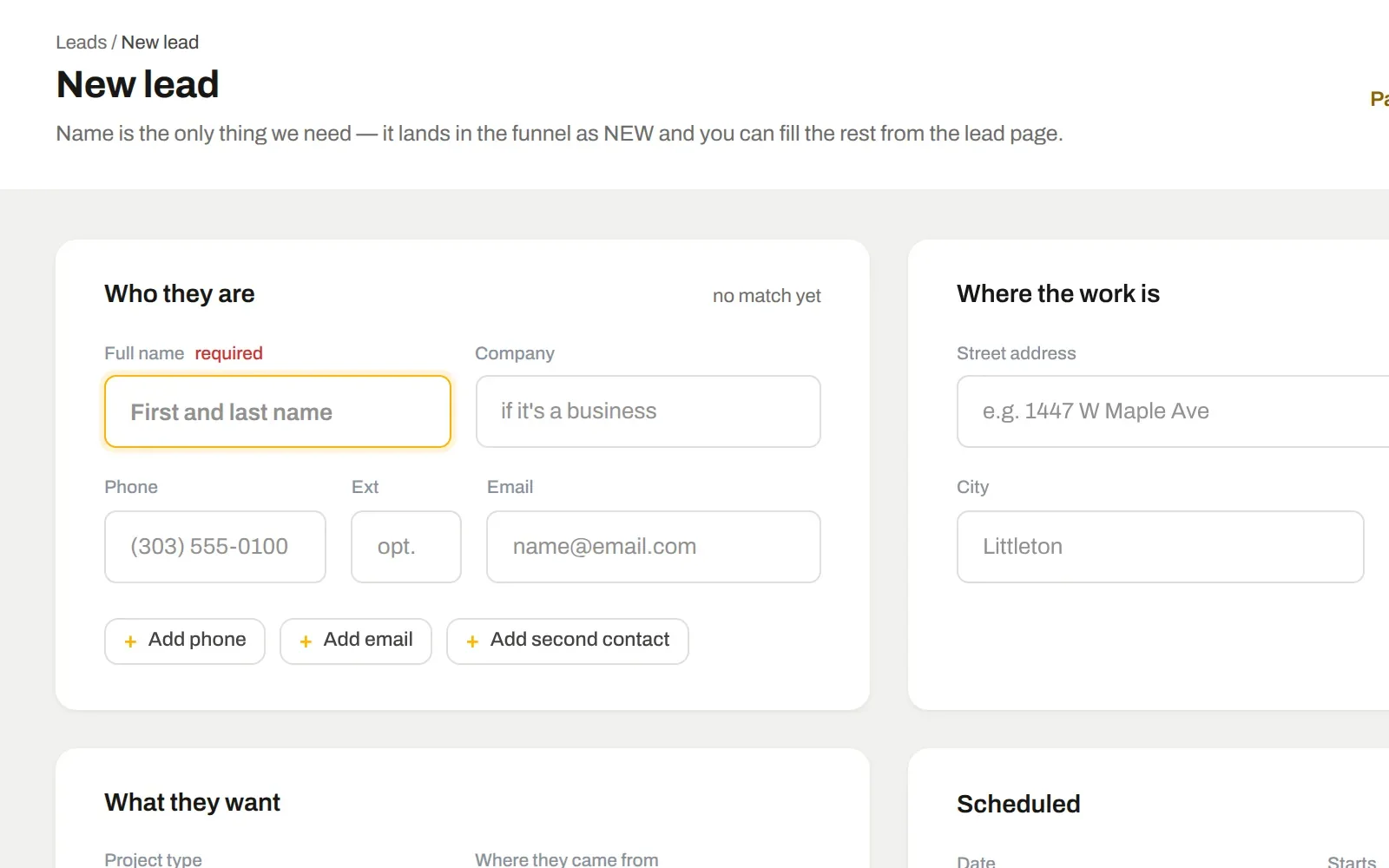
Paste it in, or fill in what you know.
A new lead is a full page, not a cramped popup: who they are, where the work is, what they want, and the visit — booked on the spot for whoever is free. Paste an email or a text from a platform and the fields fill themselves.
- Duplicate check on phone and email before anything is saved
- Book the visit and set the reminder in the same form
- Photos they sent go straight onto the lead
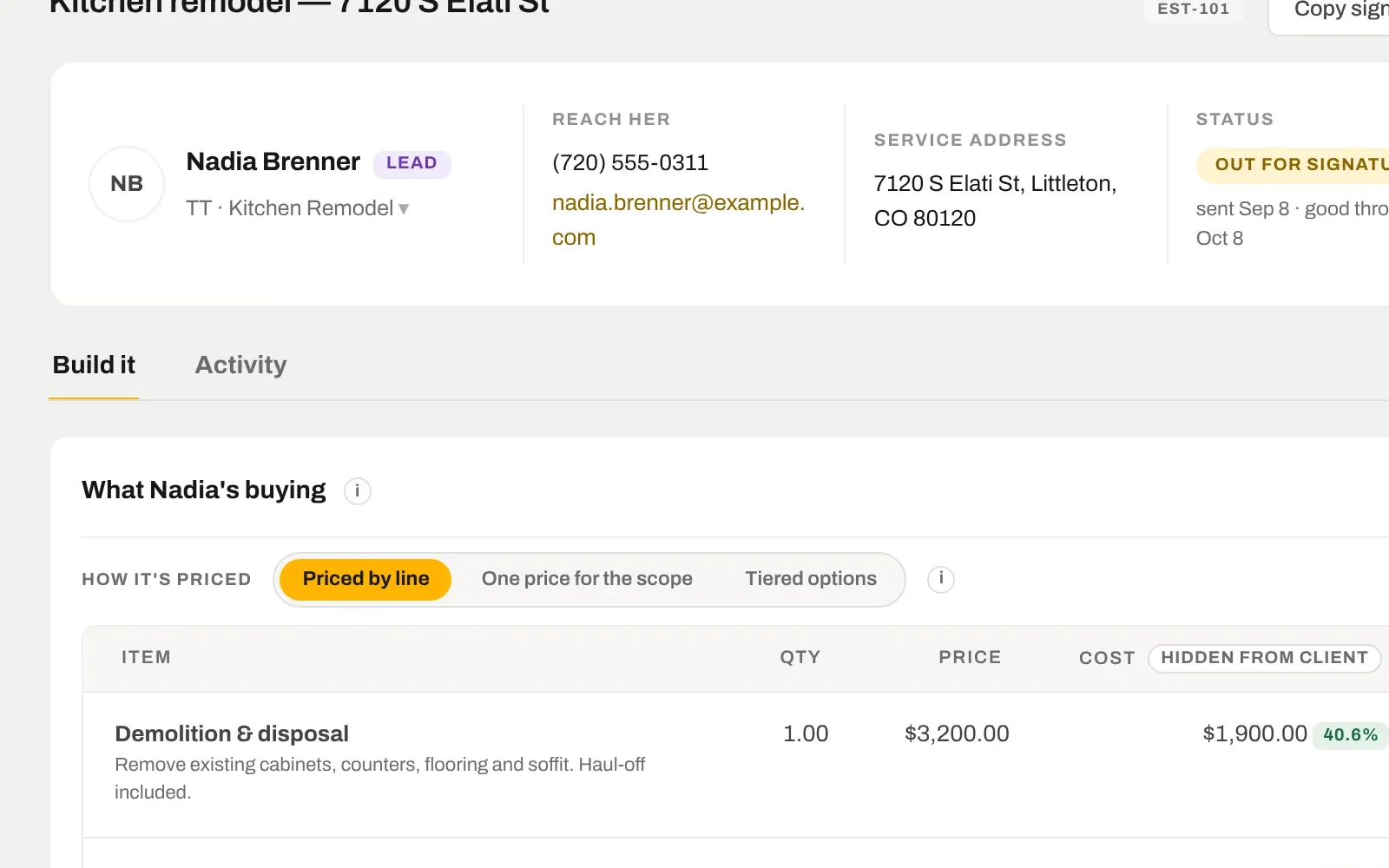
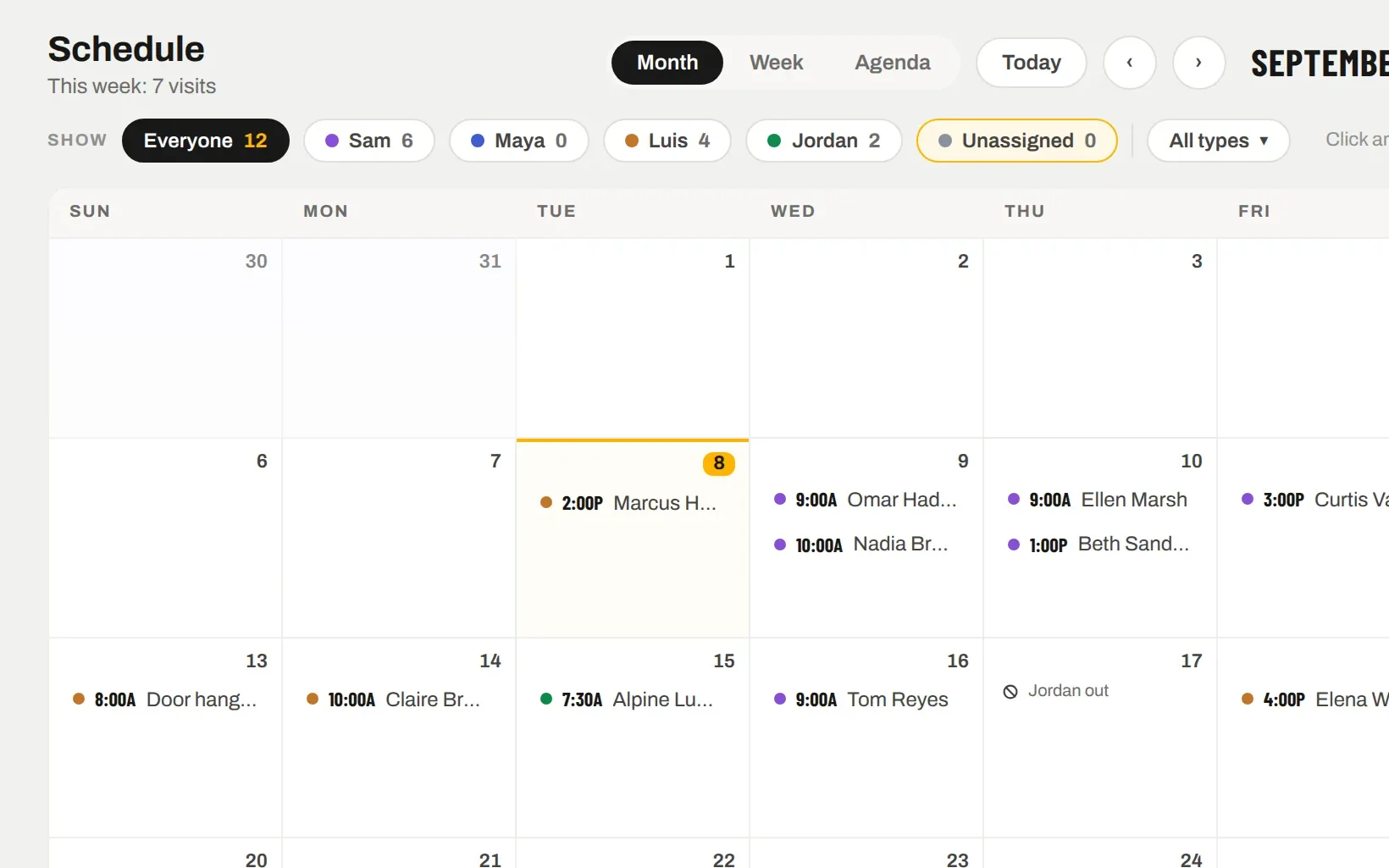
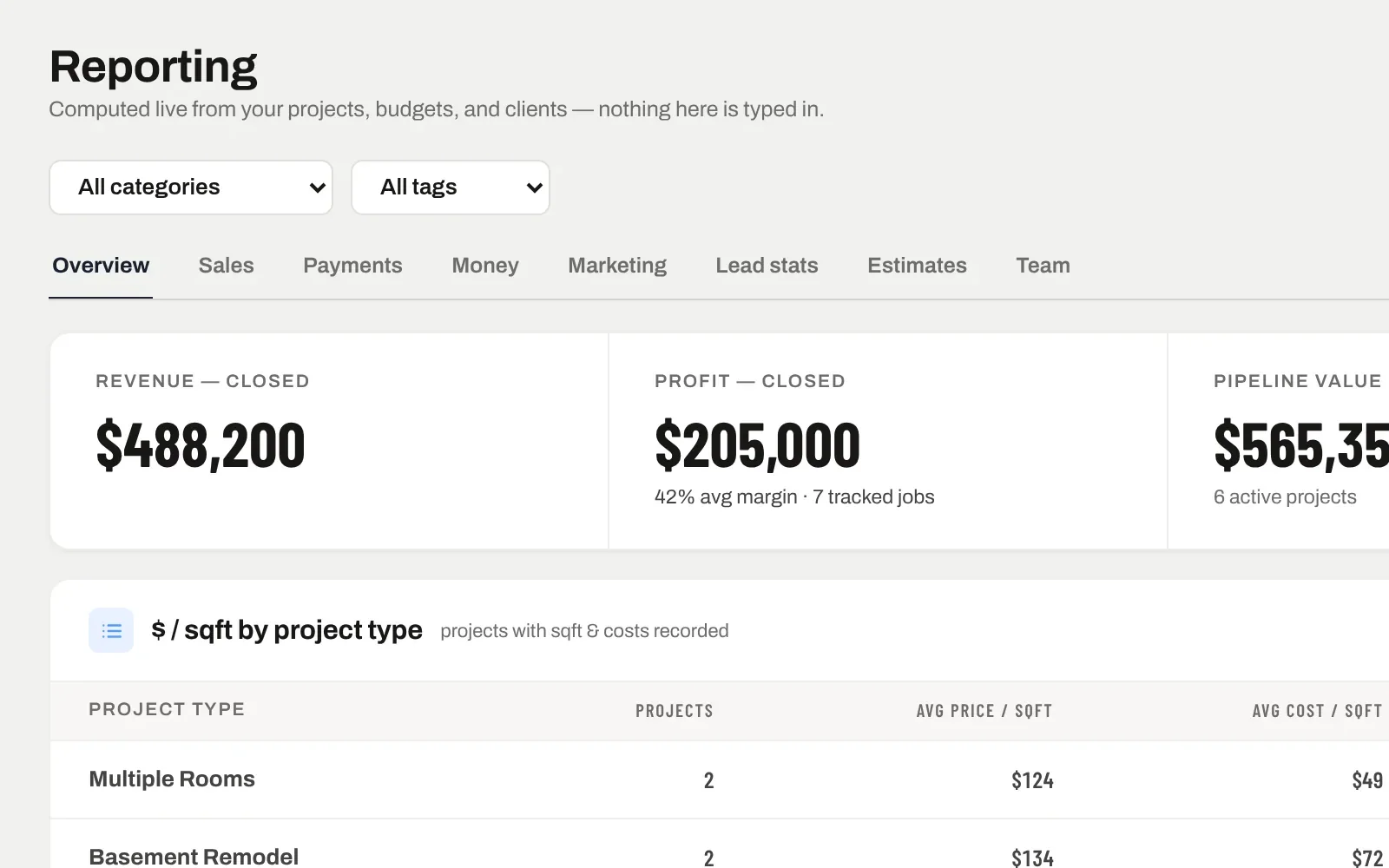
The same record, further along.
Nothing here is a separate module with its own copy of the data. Leads & messages is one view of the job; these are the next ones.
The estimate is built from the lead — name, address and scope already filled.
The visit you book from the lead is on the Schedule, for the right person, at once.
Every lead carries its source, so cost per lead and close rate come out of the records.
Straight answers.
Thumbtack connects directly (their partner API). Angi, your website form, Google Local Services and anything else that can send an email or a webhook post into your private lead address — Zapier works too. Texts to your SiteView business line arrive as messages.
Yes. With a business line connected, texts go out from your own number and replies land in the same thread. Calls and voicemails show on the timeline too.
Anyone SiteView does not recognise waits under “Waiting for your OK”. One tap adds them as a lead; one tap blocks the number for good. Nothing reaches your funnel unless a person said so.
No. Notes are marked internal and never leave SiteView. Only what you send as a text, an email or a Thumbtack reply reaches them.
Keep going.
Put one of your own jobs through it.
Free for 7 days. We set the company up with you, load the first job together, and you judge it with your numbers — not a demo’s.
7 days free. Card on file, nothing charged until day 8. From $159 a month after — cancel any time.