Know a job is going over while you can still fix it.
Every purchase, sub payment and approved change order posts against the job budget as it happens. The dashboard shows you the kitchen at 94% — not the one that already finished at 130%. Profit on closed jobs is what you actually spent, not what you hoped.
7 days free. $250 a month after, whole company. Cancel any time.
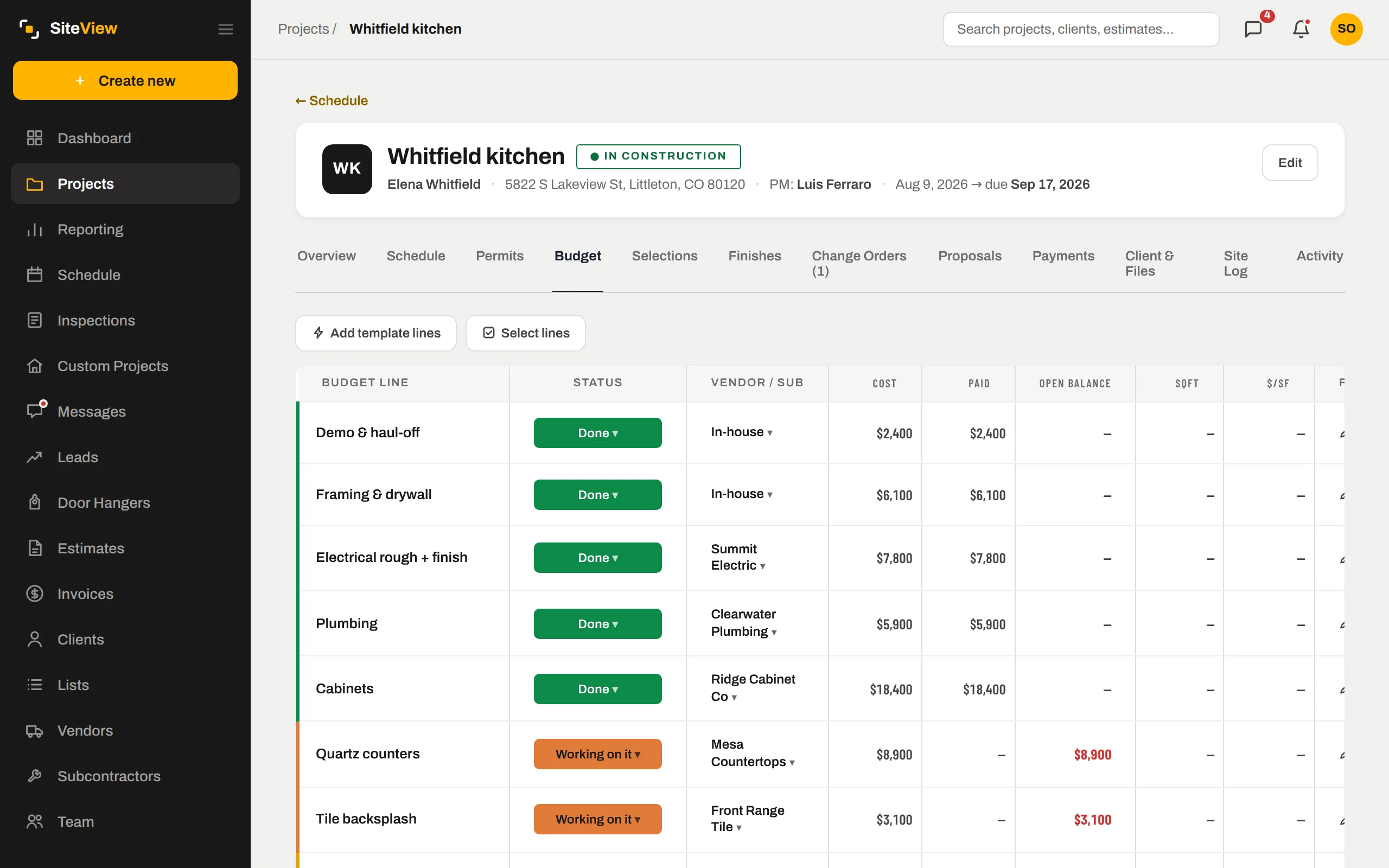
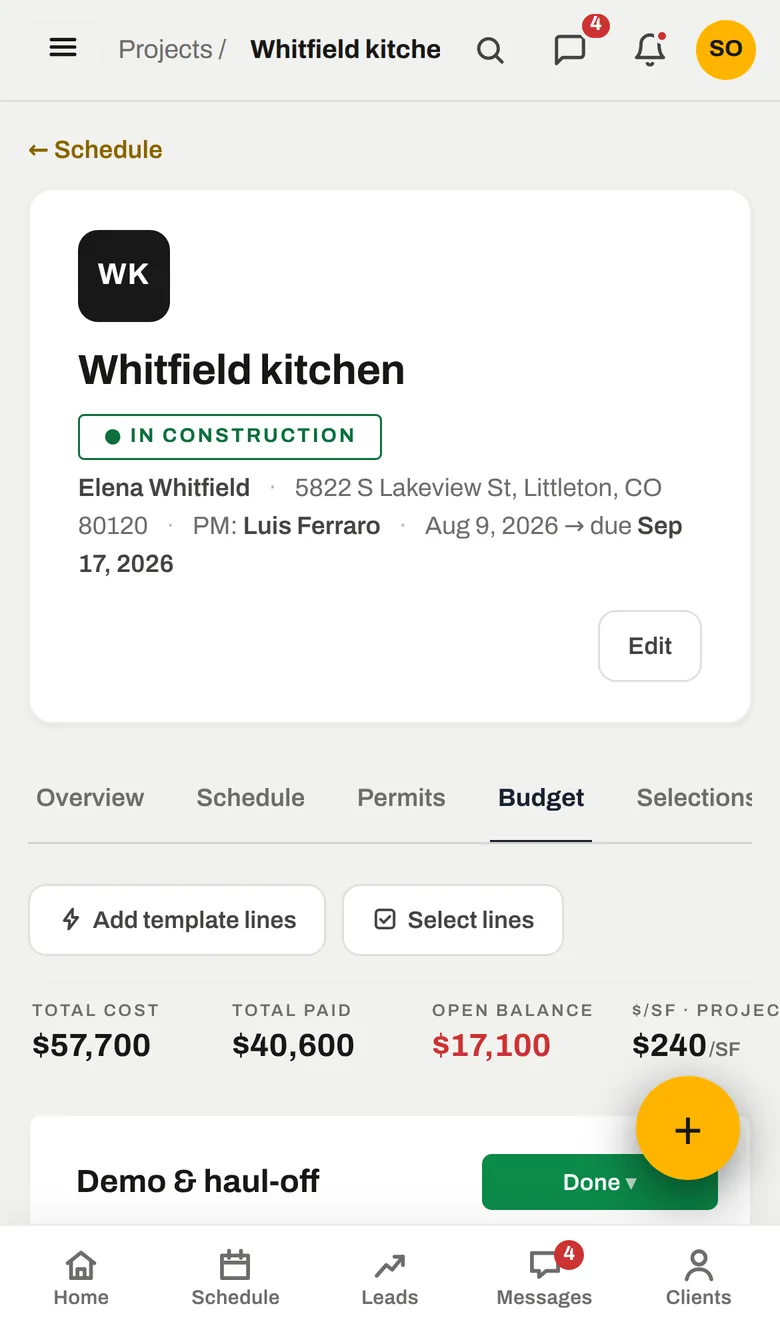
Committed versus budget, line by line.
The budget is a list of what the job will cost: demo, framing, electrical, cabinets, tile — each with a vendor, a status and what has been paid. Set the budget by hand or let SiteView derive it from the contract and your markup. The moment a line is committed it counts.
- Per line: planned, working, done — with cost and paid
- Budget lines come from the estimate's costs when the job converts
- Template lines per project type for the jobs you do every week
Yellow at 90%. Red when it is over.
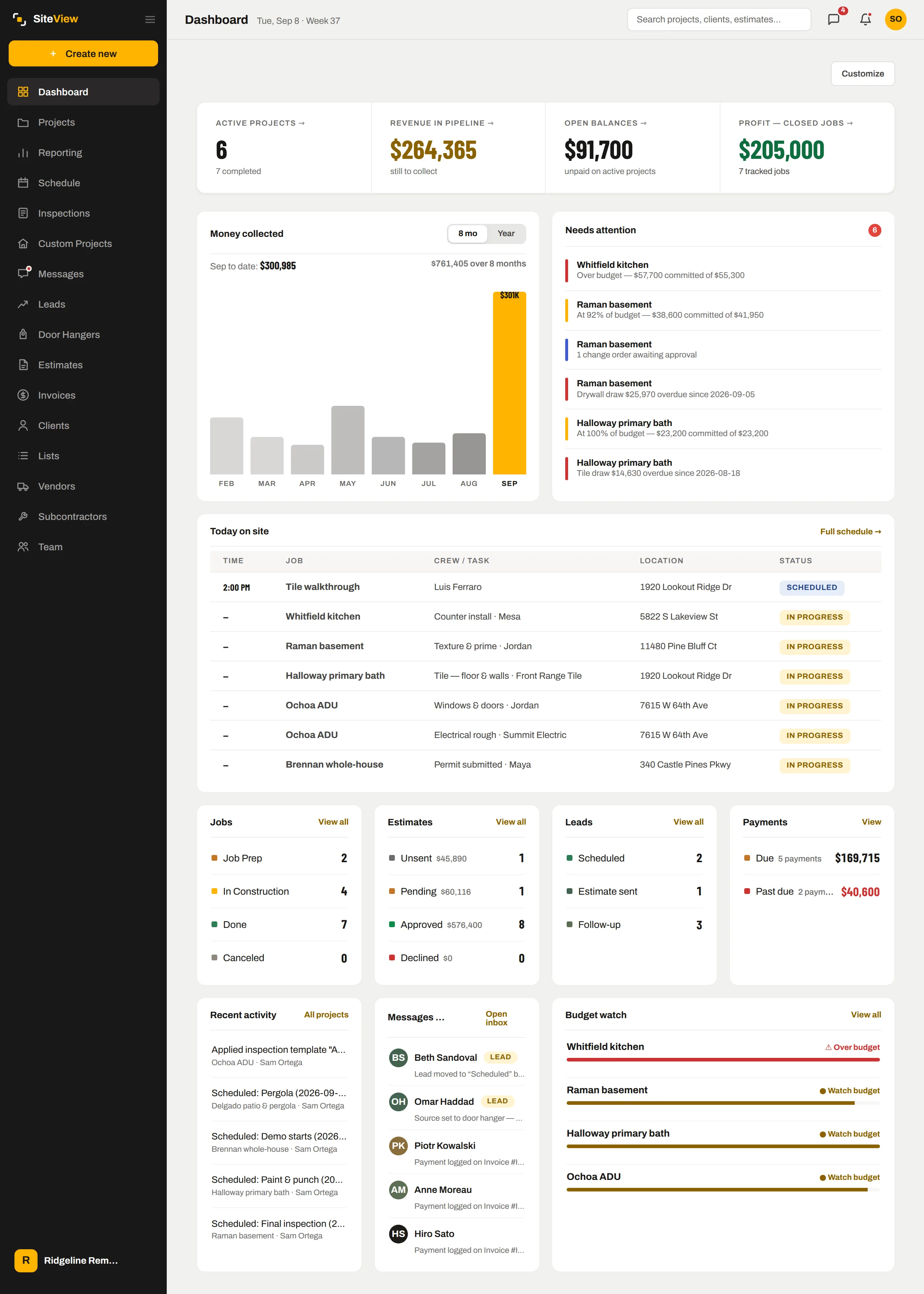
The dashboard's Needs attention list is built from the budgets: a job at 92%, a job $2.4k over, a change order still waiting on approval, an invoice overdue. It is the first thing you see in the morning and it is computed from records, not typed by anyone.
- "Over budget — $57,700 committed of $55,300"
- Project managers see their own jobs going over, without seeing your margin
- Profit projected per job: contract minus committed cost
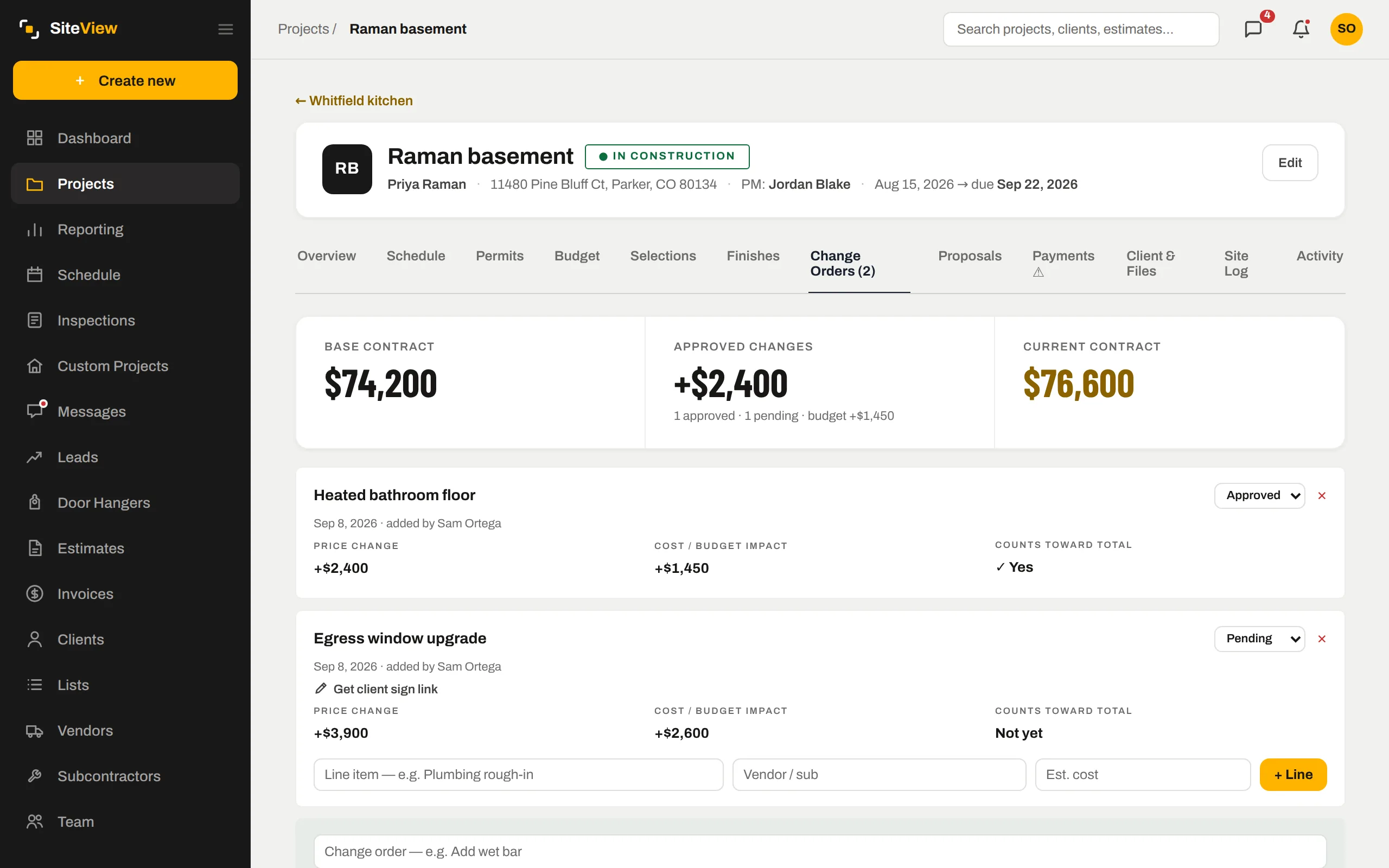
Changes move the contract and the budget together.
A change order carries a price change and a cost change. Approved, it adds to the contract value and to the budget at the same time — so the 94% stays honest after the heated floor gets added. The client signs it on their phone like an estimate.
- Pending changes show on the dashboard until they are decided
- Line items with vendors on each change order
- The client's portal shows what they approved and what it did to the balance
Real profit, and price per square foot by type.
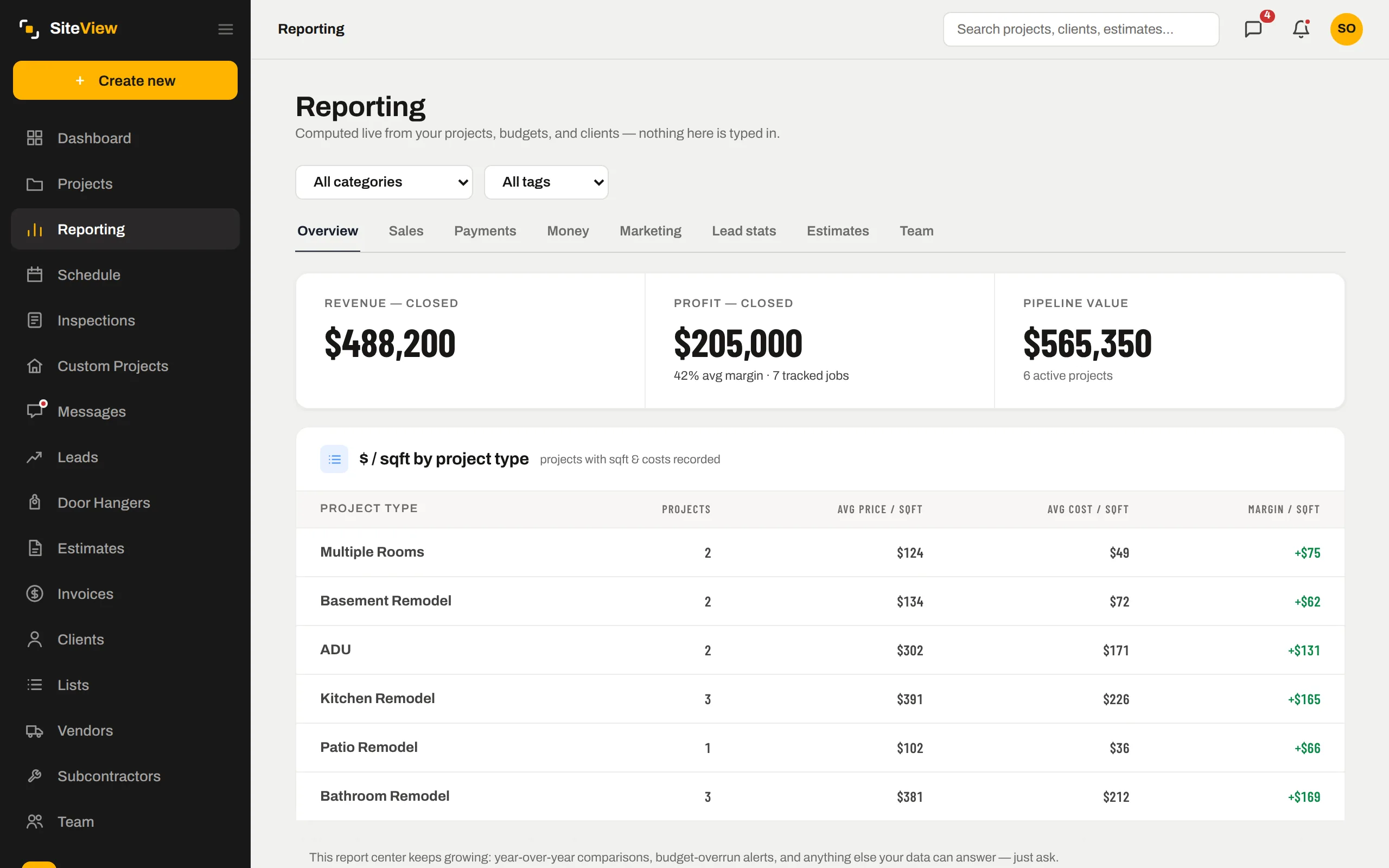
When a job closes, its revenue and its actual cost are already there. Reporting rolls them up: margin per job, average price and cost per square foot by project type, and what each lead source produced. Numbers you can quote in a planning meeting.
- Profit on closed jobs from what was actually paid out
- $/sqft by project type from your own history
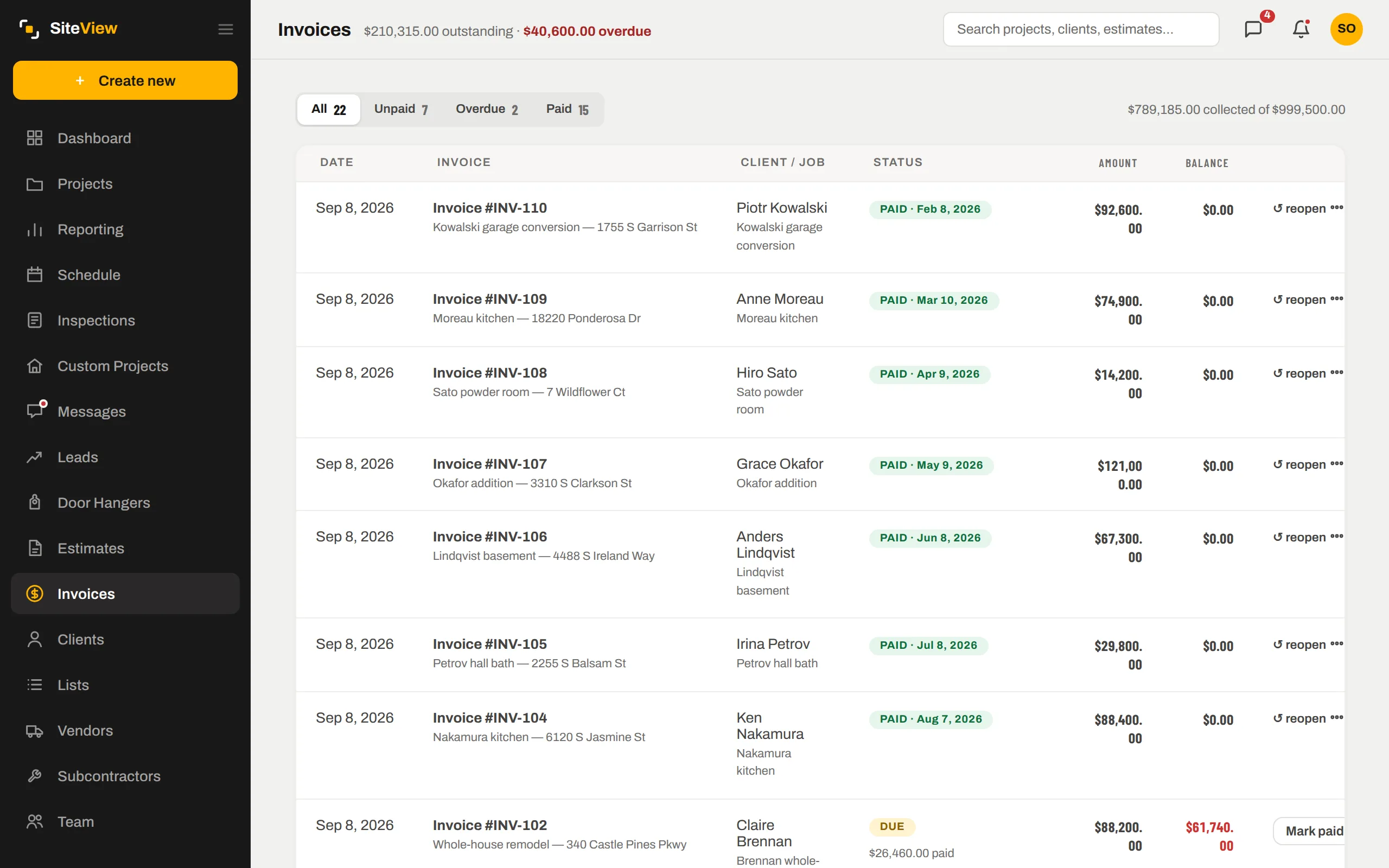
- Money collected by month, from dated payments
The same record, further along.
Nothing here is a separate module with its own copy of the data. Job budgets & costing is one view of the job; these are the next ones.
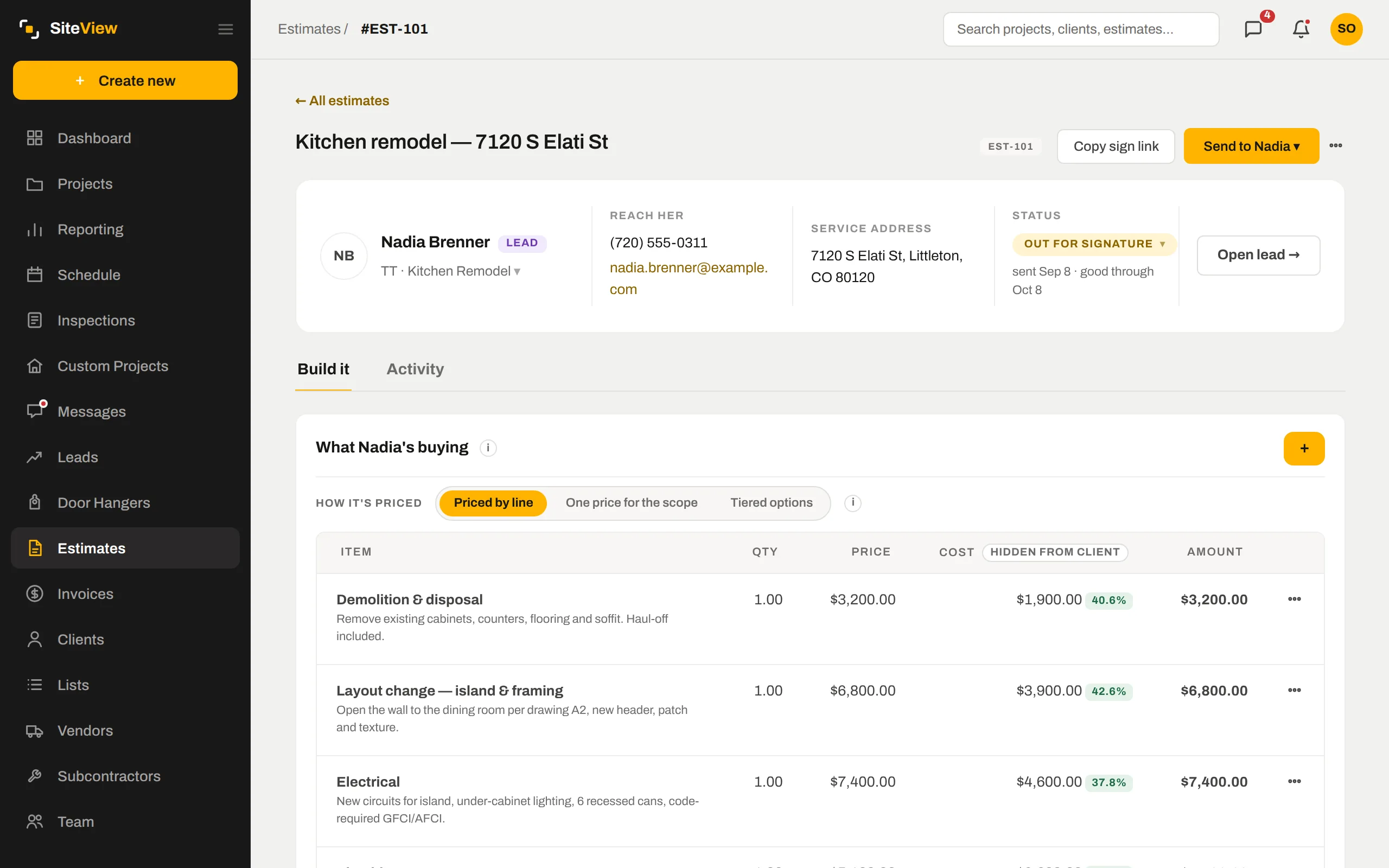
The costs you priced with become the opening budget when the estimate converts.
Payments received sit next to committed cost, so cash and margin read together.
Closed-job profit and $/sqft roll straight into Reporting.
Straight answers.
Does it connect to QuickBooks?+
Can a project manager run a job without seeing profit?+
How does the budget get set?+
Put one of your own jobs through it.
Free for 7 days. We set the company up with you, load the first job together, and you judge it with your numbers — not a demo's.
7 days free. Card on file, nothing charged until day 8. $250 a month after — cancel any time.